Skip to content

Everything it does today

A CRM for a small company, written down in full. If it isn’t on this page, it isn’t built.

Records

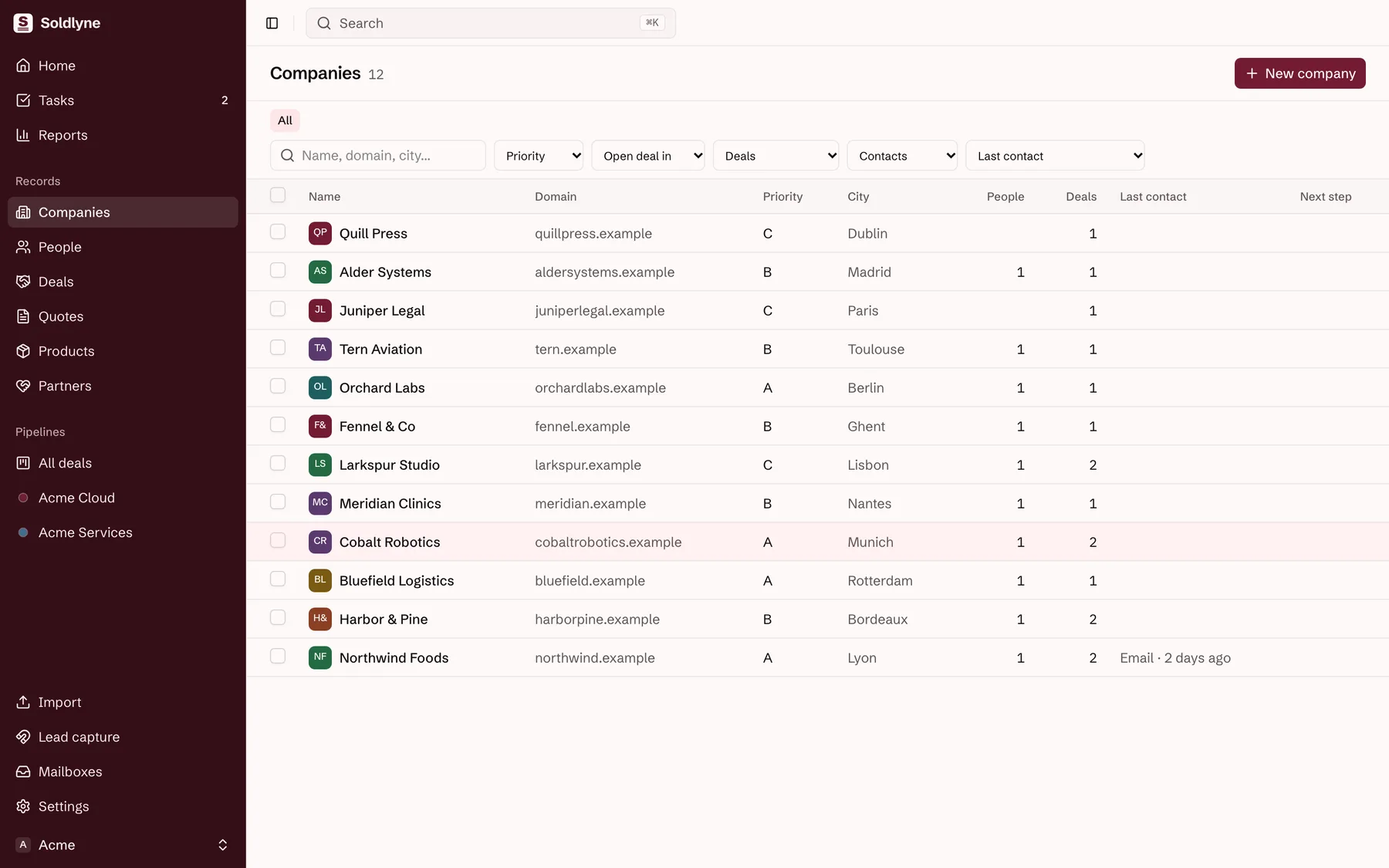
Companies, people and deals, each deal for one product. Products can belong to projects, your commercial brands, run by your legal companies.
  • A timeline per record, with its emails, calls, meetings, notes and changes
  • Tasks as next steps
  • Custom fields on companies, people and deals
  • Saved views, filters and bulk actions
  • CSV import
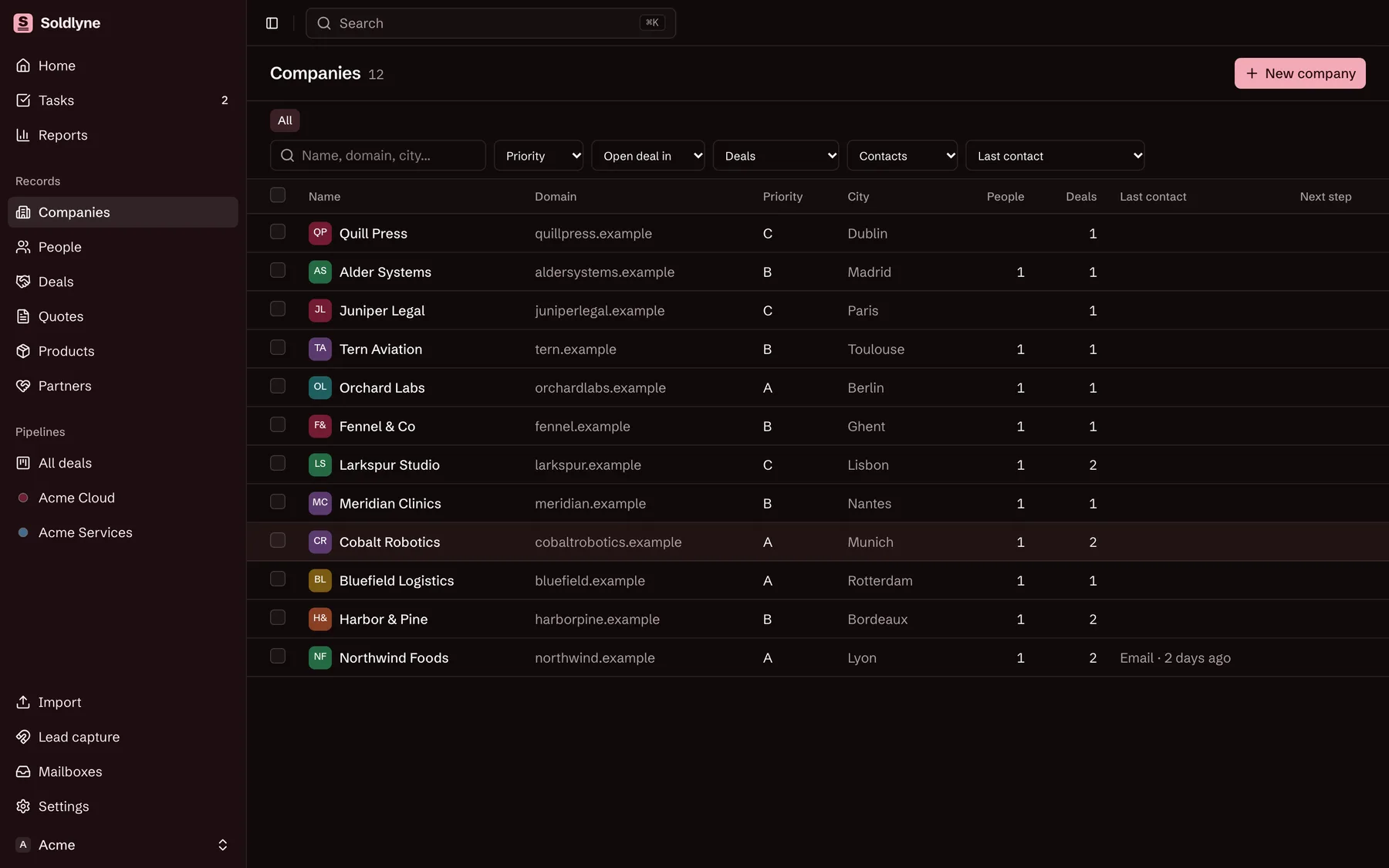
The list of companies in Soldlyne, on made-up data, with filters and bulk selection.

Pipelines

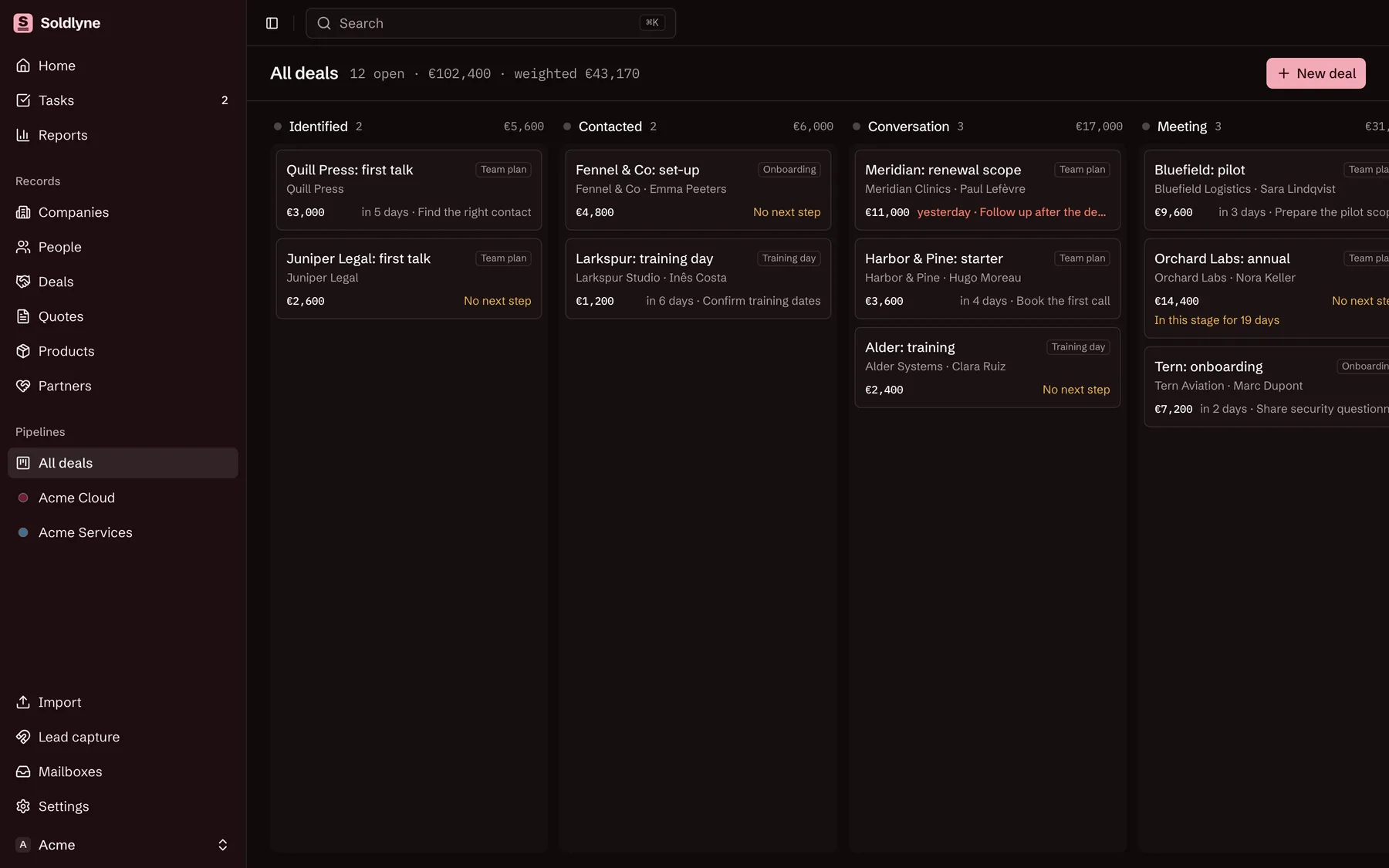
A board for all deals and one per project, with stages shared across the workspace. Drag a deal along, or change its stage from its page.
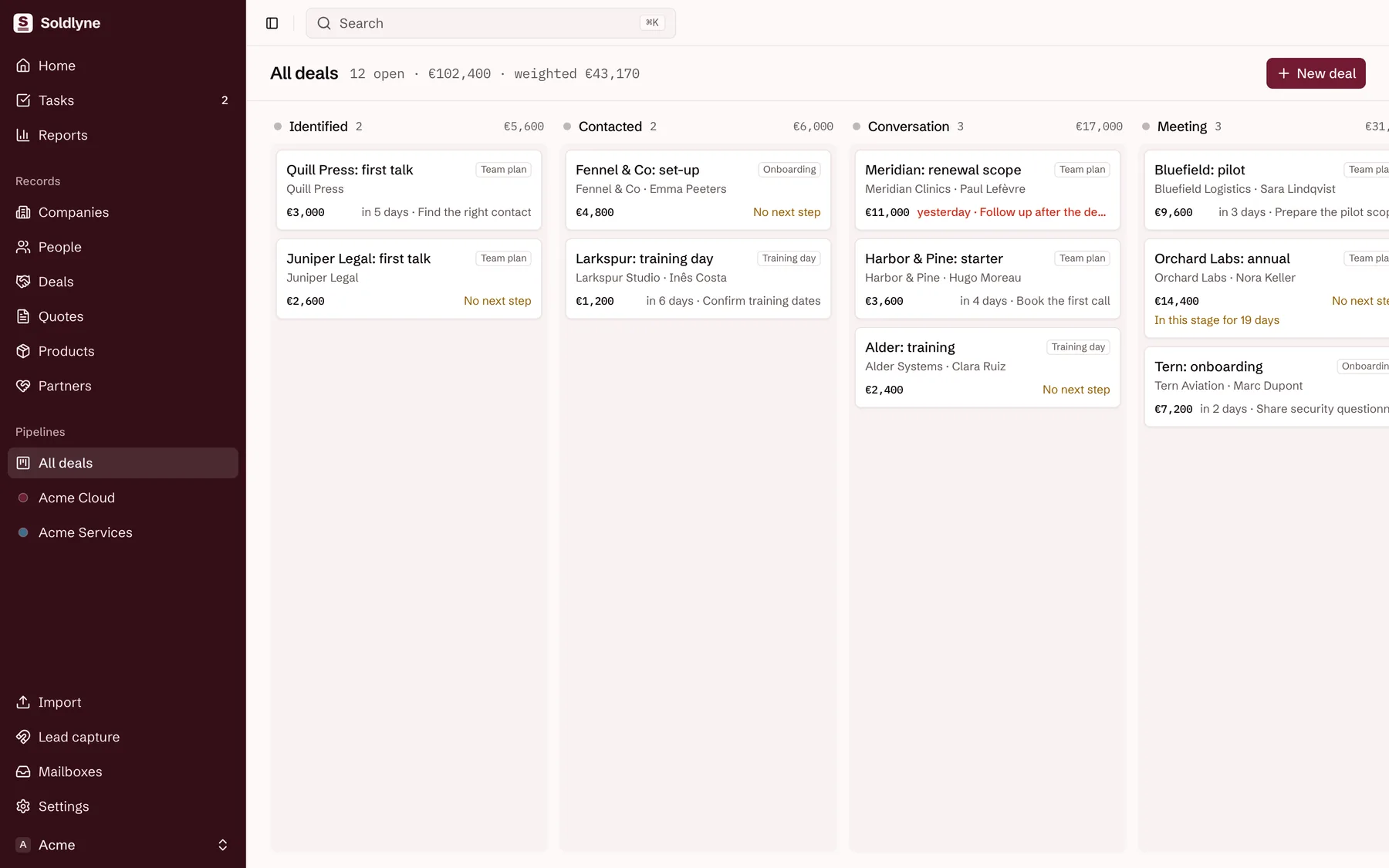
  • Each column shows its count and its total
  • Deals stuck for 14 days are flagged
  • So are deals with no next step
  • Weighted value from each stage’s probability
The pipeline board in Soldlyne: one column per stage with made-up deals, each showing its amount and next step.

Quotes

From a deal to a quote the customer accepts online. It stops short of contracts, invoices and payment links on purpose.
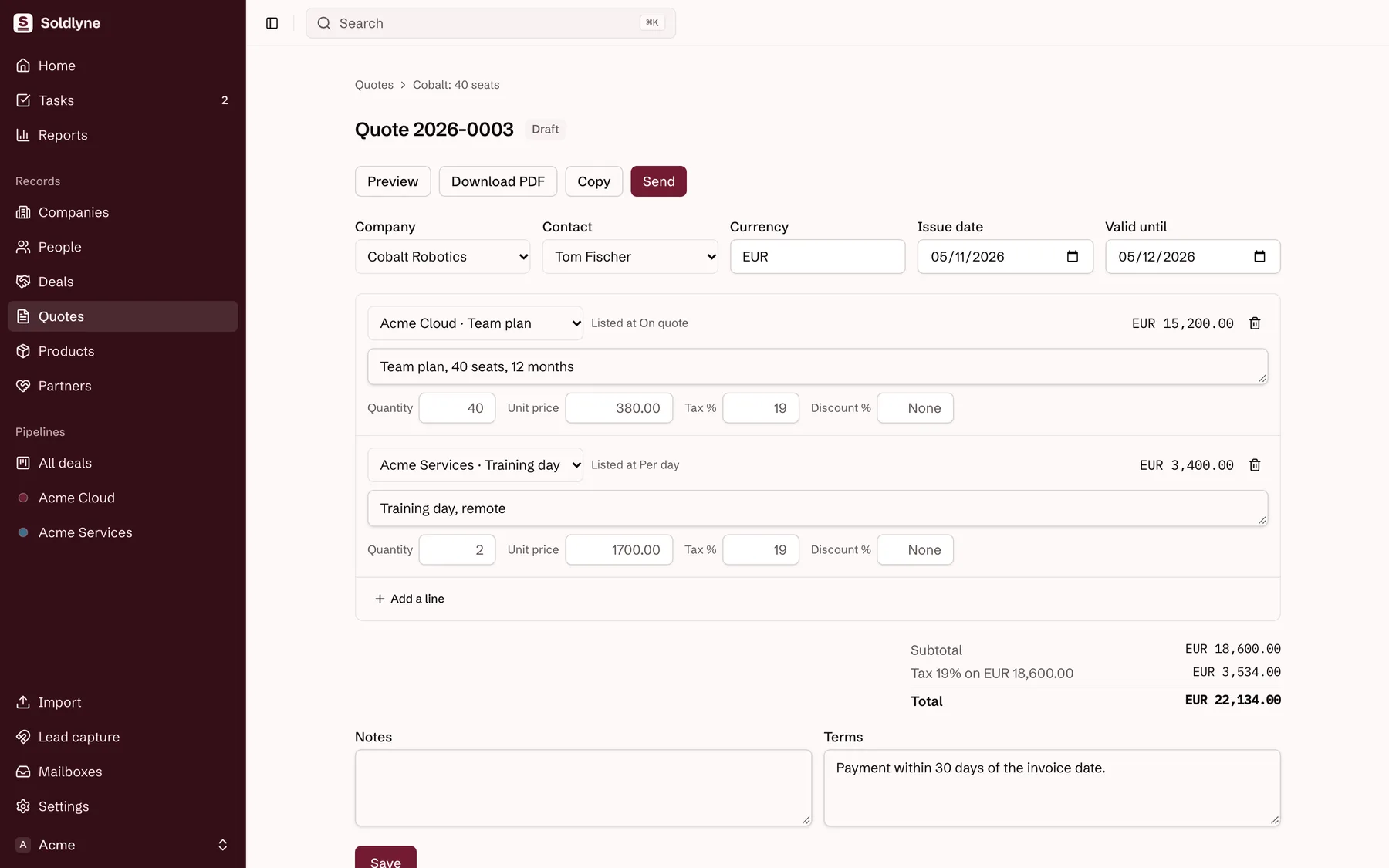
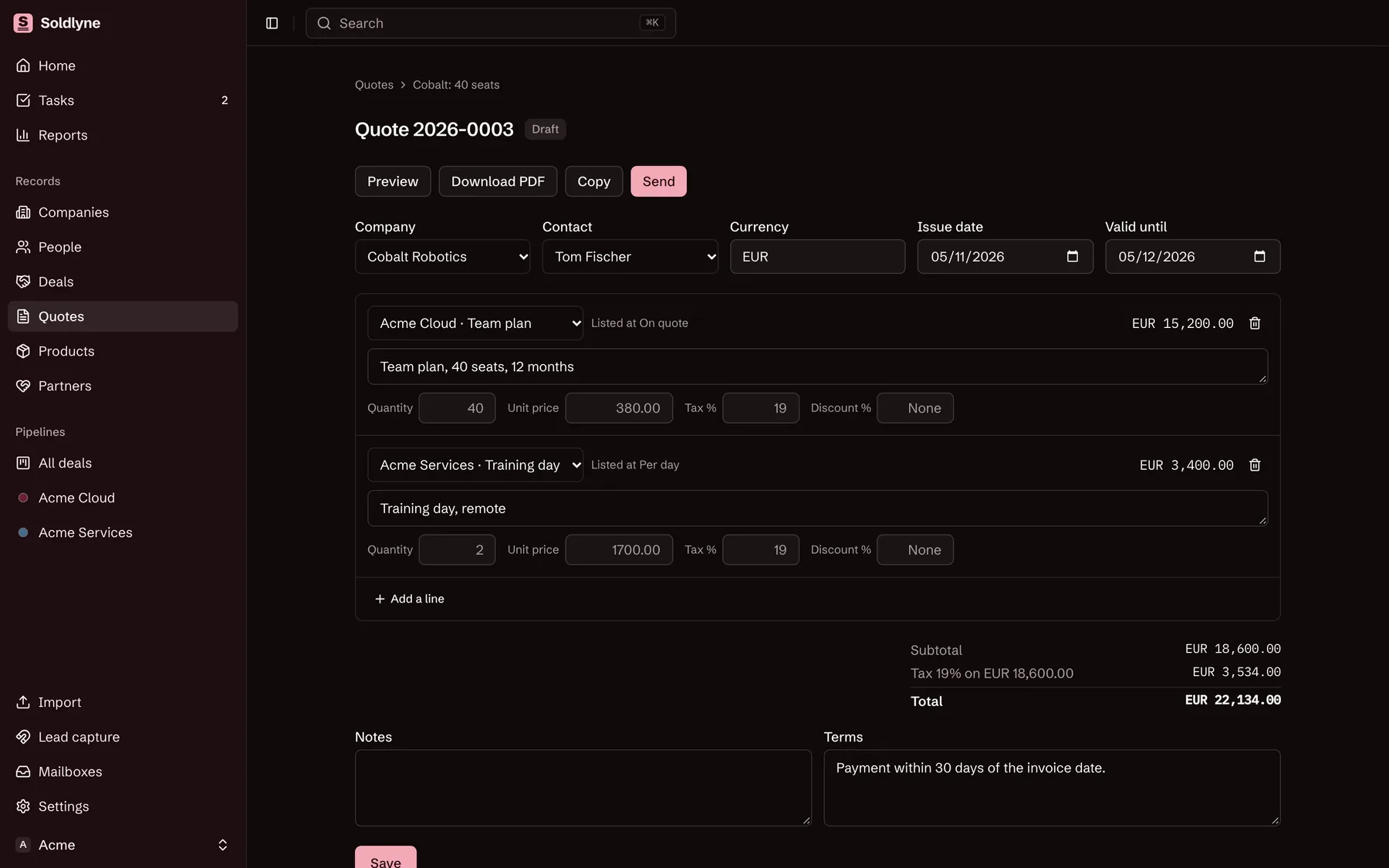
  • Lines with a quantity, a price, a tax rate and an optional discount
  • Exact integer sums, with tax worked out once per rate
  • Numbers per workspace, with the year in front if you ask
  • A link that needs no account, and a PDF
  • Accepting records the typed name, the date, the IP address and the browser, and moves the deal to Won
  • A sent quote keeps what it was sent with
A draft quote in Soldlyne, on made-up data: lines with a quantity, a price and a tax rate, and live totals.

Reports

Over a period, for all deals or one project.
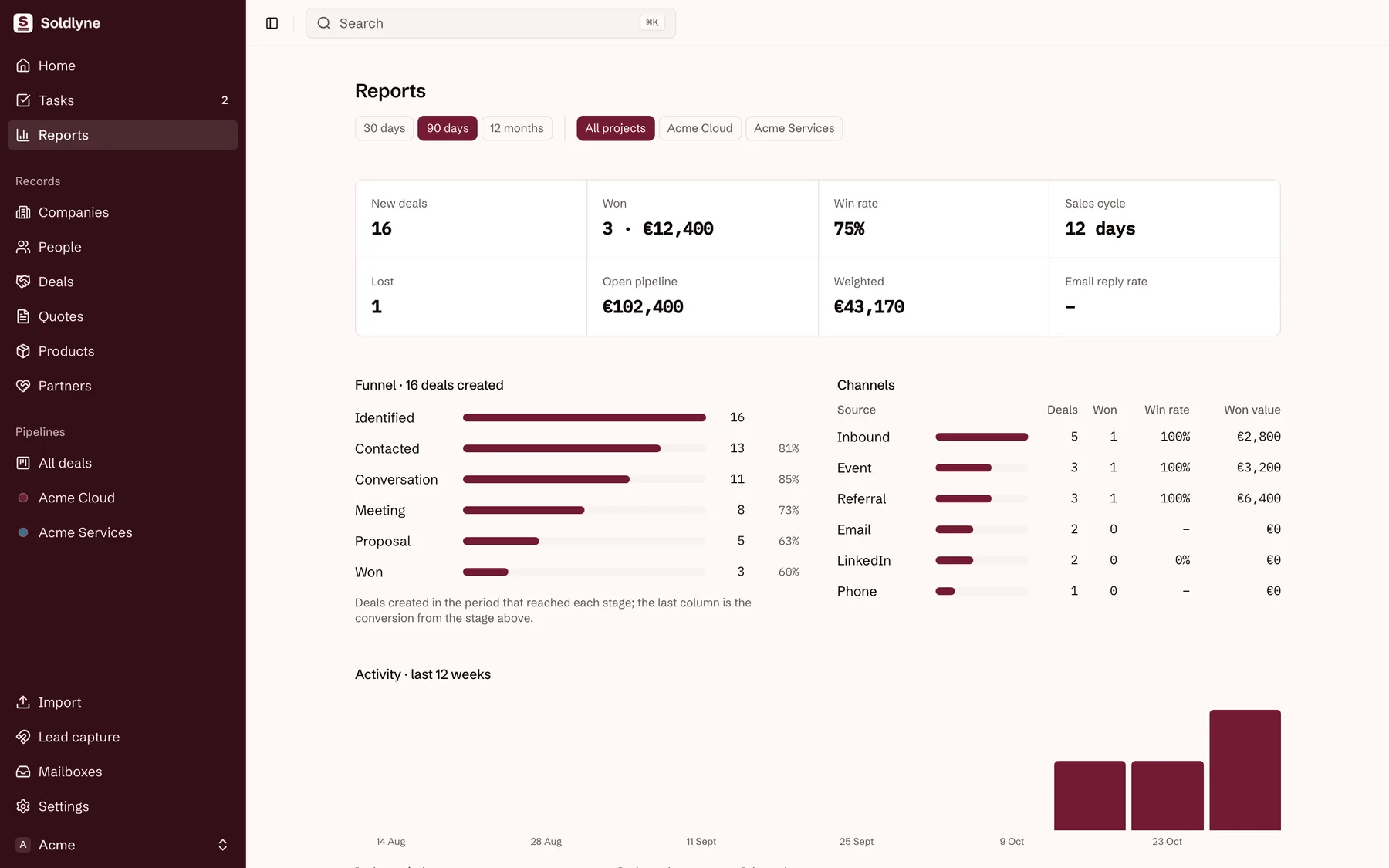
  • Deals won, lost and open
  • Weighted value
  • A stage-to-stage funnel
  • Channels and activity
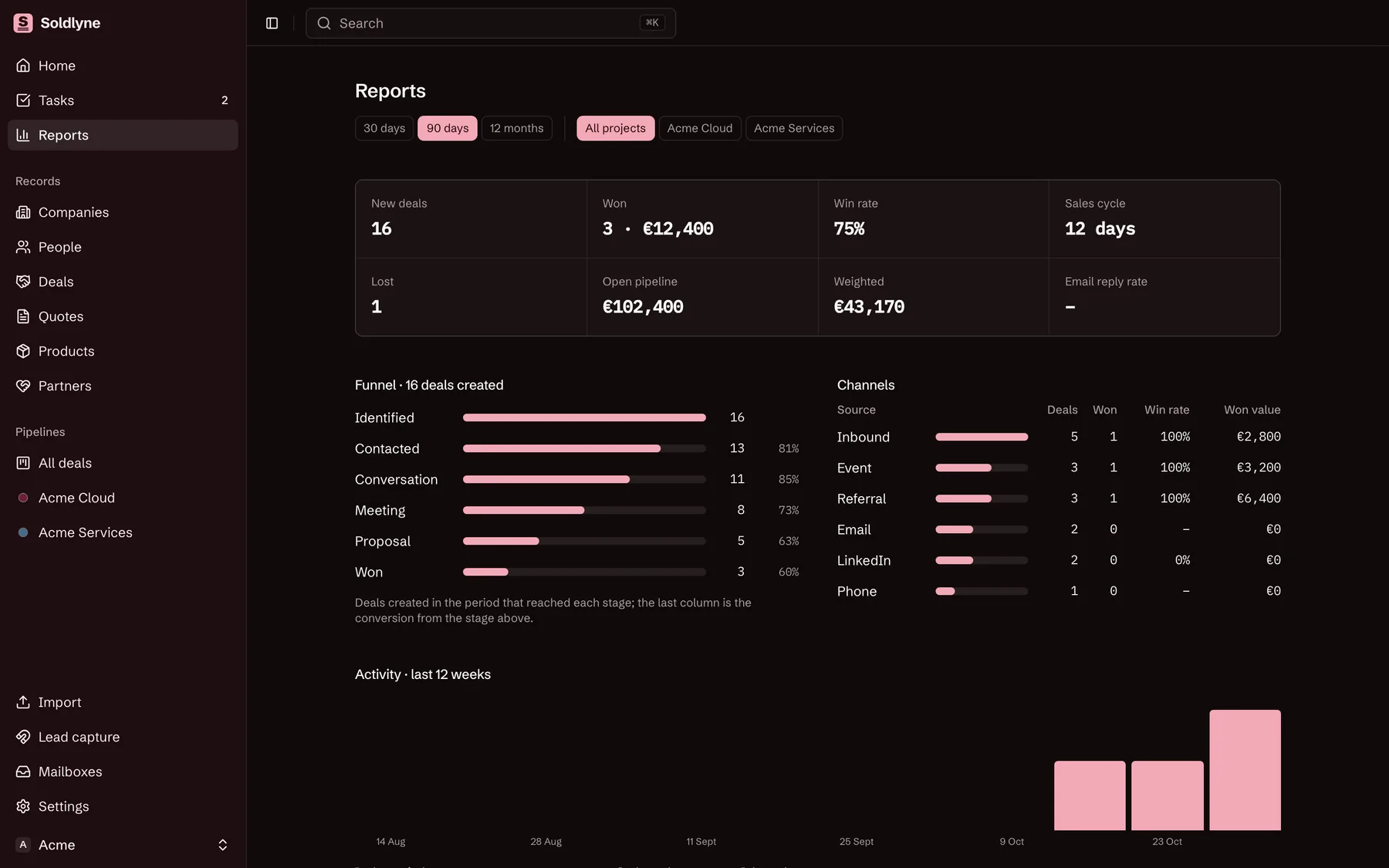
Soldlyne’s reports on made-up data: deals won and lost, a stage-to-stage funnel and channels.

Workspaces

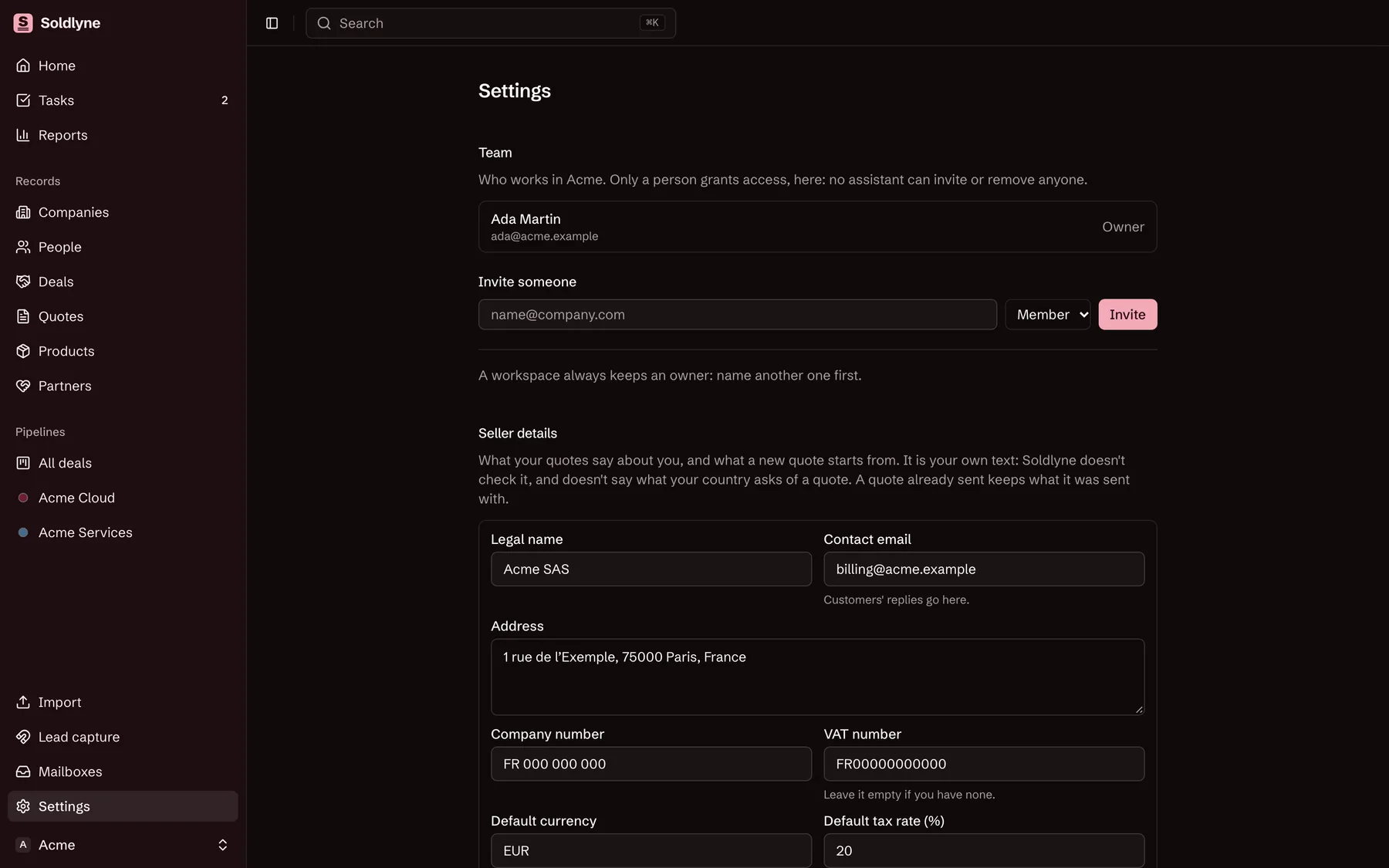
One per company on an install, each with its own records, stages, products, mailboxes and lead keys. One account can belong to several and switch from the sidebar.
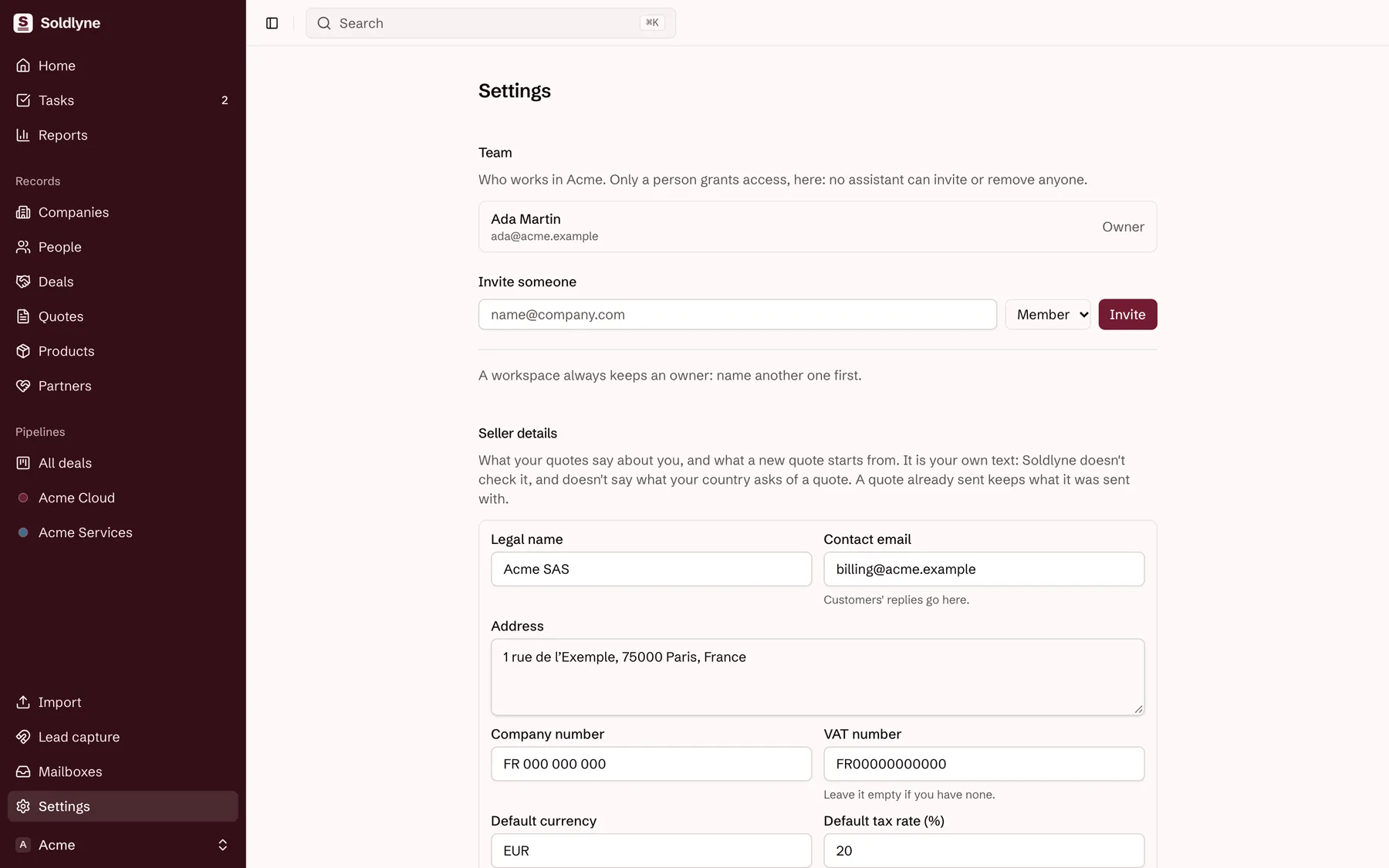
  • Row-level security enabled and forced on every business table
  • Owners and admins invite by address, as admin or member
  • An invitation is good for 14 days and for that address only
  • Removal ends access at the next request
Soldlyne’s settings: the team and the seller details a workspace’s quotes start from, on made-up data.

The real app, on made-up data.

And the rest

Lead capture

POST /api/leads with a key per form creates or updates the person and the company, can open a deal and a follow-up task, and records the opt-in when the person gave one.

Mailbox sync

Connected Gmail and Google Calendar accounts are read every hour, and emails and meetings with people already in Soldlyne land on their timelines. Read access only.

Partners

Who referred which deal, and the commission owed once it is won.

Assistants

An MCP server at /api/mcp, reached through OAuth, with 23 tools. A member’s connection covers all their workspaces, and everything an assistant does is recorded as done by MCP.

Rules it keeps

What Soldlyne won’t do, whoever asks.

  1. 01

    It never sends prospecting email

    Its Google access is read only. Its one mail provider carries only its own mail: to members, and the link to a quote a member chose to send.

  2. 02

    What isn’t a contact stays out

    The sync creates nobody from an inbox. Newsletters, notifications and colleagues never reach a timeline.

  3. 03

    Access stays a person’s decision

    No assistant tool invites, removes or changes members, since what’s written in records can carry instructions.

  4. 04

    A quote’s answer is its customer’s

    No tool or screen accepts a quote for them. A member can record a no they were told, never a yes.

  5. 05

    What people write is data

    Notes, emails and form messages reach an assistant as text from third parties, never as instructions.

  6. 06

    No legal advice

    Seller details and terms are the workspace’s own text. Soldlyne doesn’t check them, picks no tax rate, and doesn’t say what a quote must contain anywhere.

Limits worth knowing

  • The app’s screens are in English.
  • Deal amounts are in euros; a quote has its own currency.
  • The quote PDF’s font covers Western European characters; other letters show as a question mark, with a line saying so, and the customer’s page shows them in full.
  • There’s no screen yet to see or cancel an assistant’s connection: access ends when a member leaves a workspace or loses their account, and a token lasts an hour unless refreshed.